



Last week’s release was focused on one core goal: making Josda’s AI assistant meaningfully better—especially when it comes to working with documents—while also improving onboarding and smoothing a few rough edges across the app.
As always, thank you for trusting Josda. If there are improvements you’d like to see (either to help you right now, or because something would have been helpful earlier in the process), let us know. That feedback is one of the most valuable inputs we have as we refine the product.
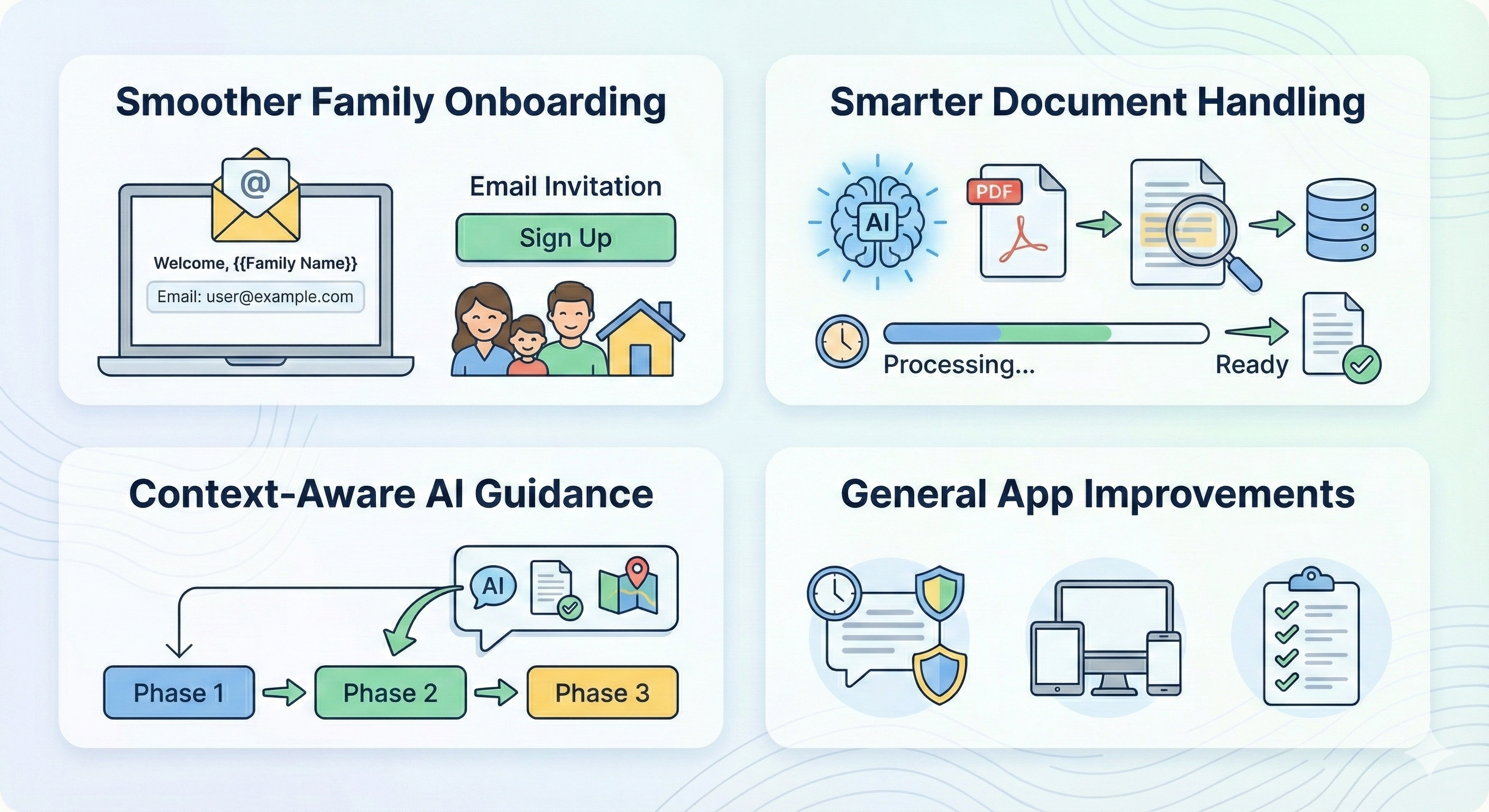
1) Smoother onboarding for families
When a family is invited to Josda through a funeral home or reseller, the first few minutes matter. People are often stressed, uncertain, and trying to understand whether they’re in the right place—and what they’re supposed to do next.
With this release, the signup experience is now more personalized and clear:
- The invitation link now carries the decedant's name and the invited user’s email address.
- This helps families immediately recognize they’re in the correct workflow, reducing confusion and setup friction.
The intent is simple: less hesitation, fewer wrong turns, and a faster path to getting started.
2) Smarter document handling
Josda is at its best when it can help you interpret paperwork and extract what matters. This release strengthens the foundation for that.
What’s improved:
- Josda now stores full text extracted from PDFs and other files, which allows the AI assistant to provide better, more grounded help when you ask questions about your documents.
- Documents that are still being processed are now clearly labeled, so you know when they’ll be available and you’re not left wondering why the assistant can’t “see” something yet.
This makes document-based support more reliable—particularly when you upload large statements, benefit letters, policies, or court documents.
3) More helpful AI guidance, based on where you are in the process
A common frustration with AI tools is that they can give “generally correct” answers that still feel unhelpful because they aren’t tailored to your current step.
In this release, the AI assistant is better at understanding context:
- It better understands what phase or step you’re currently working on in the estate-settlement process.
- If a task requires a document, the assistant can now see whether a file has already been uploaded and guide you accordingly (instead of asking you to upload something you already provided).
- The assistant can also reference state-level documents when explaining legal steps, helping the guidance feel more relevant to your situation.
Overall result: clearer, more accurate, and more personalized help—with fewer dead ends.
4) General improvements across the app
In addition to the AI and document work, we made several quality-of-life improvements:
- Better protection against chat timeouts, so you can keep momentum during longer sessions.
- More responsive layouts across screen sizes, improving usability on different devices.
- Updates to the underlying task checklist, making certain steps easier to follow.
We also made updates to the tasks themselves and the enabling logic behind them, with the goal of making the tasks you see more accurate, more timely, and more helpful than in the prior version.
Want to influence what we build next?
If you’ve had moments where you thought, “I wish Josda did this,” please tell us—especially if it would have made an earlier phase easier or prevented confusion. Those specifics help us prioritize improvements that matter in the real world.


.svg)
.svg)
.svg)
.svg)